
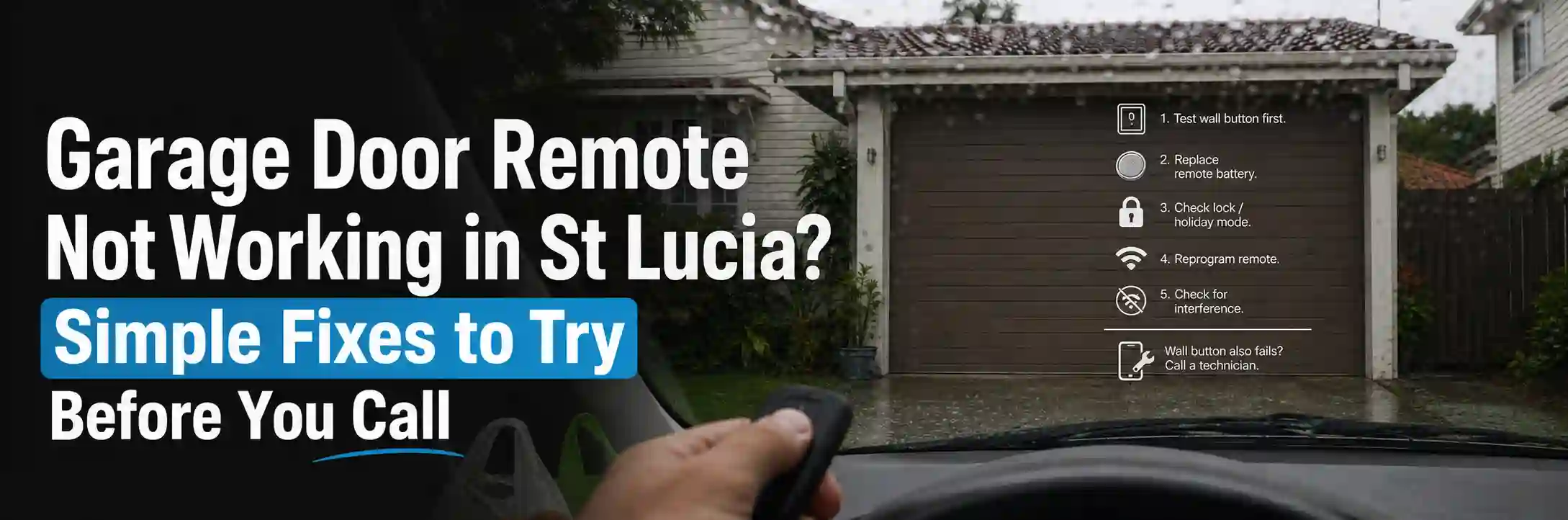
You’re sitting in the driveway, thumb on the button, watching a door that refuses to move. The rain is coming, the groceries are in the boot, and the remote has picked today to give up.
A garage door remote usually stops working because of a flat battery, lost programming, signal interference, a lock mode on the opener, or a worn-out remote. Most of these take minutes to check, and you often won’t need a technician.
Here’s how to work out which one you’re dealing with, in the order that saves the most time.
What Your Symptom Is Telling You
| What happens | Likely cause | First thing to try |
| Remote works only up close | Weak battery or interference | New battery |
| Wall button works, remote doesn’t | Battery or programming | Replace battery, reprogram |
| No remote works, wall button does | Lock mode or receiver | Check lock mode |
| Only one remote fails | Faulty remote | Test a spare remote |
| Nothing works, including wall button | No power or opener fault | Check power |
Start With the Wall Button Test
Press the button on the wall inside the garage. It’s the quickest way to split the problem in two.
If the Wall Button Works
That’s good news. The door, springs, motor and sensors are all fine, and the fault sits on the radio side with the remote or the opener’s receiver.
If the Wall Button Doesn’t Work Either
Then the remote isn’t the problem. Check the opener has power, look at the safety switch in your meter box, and test the power point with a lamp. If the opener still won’t respond, it needs a technician.
Replace the Battery First
A flat battery is the most common cause, and it’s easy to overlook. Remote batteries often last around two years, so it may simply be due.
- Open the battery compartment and note the battery type, often a CR2032 coin cell or a small 12 volt battery
- Fit the new battery the right way around
- Clean the contacts if you see any corrosion
- Test the remote from a short distance, then from the driveway
Expert tip: A remote that’s been without a battery for a while can lose its programming. If the door ignores a freshly powered remote, move straight on to reprogramming.
Check for a Lock or Holiday Mode
If every remote stopped at once but the wall button still works, the opener may be locked. Many wall consoles have a lock or holiday setting that blocks wireless signals.
Tapping the wrong wall button is surprisingly easy, especially in a busy household. Your manual will show how to switch lock mode off, as the steps vary by brand.
How to Reprogram Your Garage Door Remote
Remotes pair with the opener’s receiver using a unique code. If that link is lost, the remote needs to be taught again.
The exact steps depend on your brand, so follow your manual. In general, it works like this:
- Find the Learn or Code button on the opener’s motor unit.
- Press and release it, which puts the opener into learning mode.
- Within about 30 seconds, press and hold the button on the remote.
- Release when the opener light flashes or beeps.
- Test the remote from a distance.
The opener is mounted on the ceiling, so use a stable ladder and keep the door clear. If the opener doesn’t have a Learn button you can find, stop and check the manual or ask a technician.
Why Does My Remote Only Work Up Close?
A remote should normally work from a few car lengths away. If you have to pull right up to the door, the signal is being weakened.
Work through the usual suspects in this order:
A Weak Battery
A tired battery often still lights the remote but can’t send the signal far. Replace it before chasing other causes.
Interference From Other Devices
Cheap LED bulbs, security lights with motion sensors, alarms and some cameras can give off radio noise that drowns out the remote. Try switching off the opener light or unplugging nearby devices one at a time while you test.
A Damaged or Poorly Placed Antenna
Most openers have a short antenna wire. If it’s kinked, damaged or tucked against the metal housing, range suffers. Letting it hang straight down often helps. A metal door or metal-clad garage can also reduce range, so test again with the door open.
Expert tip: Test a second remote from the same spot. If both struggle, the problem is at the opener. If only one does, the weak link is that remote.
When the Remote Itself Has Worn Out
Remotes live a hard life in cars and pockets. Buttons wear, circuit boards crack and water can get in.
If a fresh battery and reprogramming don’t help, and a spare remote works fine, the old one has probably had its day. Time for a replacement.
What If Every Remote Stops at Once?
When several remotes and the keypad all fail together, the fault is almost never the remotes. Suspect lock mode first, then the opener’s receiver.
Brisbane’s summer storms can also cause power surges or brief outages that scramble an opener’s memory or damage its electronics. If all remotes fail after a storm and reprogramming doesn’t help, the receiver or control board may need repair or replacement.
Wiring faults, including chewed cables, can also stop an opener receiving signals.
What About Keypads and Phone Apps?
If you use a wireless keypad, the same checks apply. Replace its battery, then make sure it’s still paired with the opener.
Phone apps and smart openers add another layer. They rely on Wi-Fi and an internet connection, so a router restart or a signal dropout can stop the app even when the door itself is fine.
If the wall button and handheld remote work but the app doesn’t, check your Wi-Fi and the app’s connection first.
How to Choose the Right Replacement Remote
Not every remote works with every opener. Garage remotes use specific frequencies and coding, so the match has to be right.
Identify the opener brand and model. It’s usually printed on a label on the motor unit, and sometimes on the back of the old remote.
Check the compatibility. Match the remote to your opener’s model and coding, not just the brand.
Buy from a trusted source. The manufacturer or an authorised dealer is the safest option, because generic universal remotes can be incompatible or fiddly to set up.
Common Australian opener brands include B&D, Merlin, ATA, Steel-Line, Chamberlain and Gliderol, among others.
Keep Your Garage Secure When a Remote Goes Missing
A lost or stolen remote is a security risk, not just an inconvenience. Anyone who finds it could open your garage, and often the door into your home.
Most openers let you erase all stored remotes using the Learn button, then you can reprogram only the ones you still have. The steps vary by brand, so check the manual.
Renting or just moved into a St Lucia place? Clear the old codes. Remotes from previous tenants or owners might still open your door.
A Quick Troubleshooting Order to Follow
If you’d rather have it all in one place, work through this order:
- Test the wall button.
- Replace the remote battery and clean the contacts.
- Check for lock or holiday mode on the wall console.
- Reprogram the remote to the opener.
- Test a second remote or keypad from the same spot.
- Rule out interference and check the antenna.
- Replace the remote if it still fails alone.
Seven short steps can solve many remote problems before you pick up the phone.
How to Make Your Remotes Last Longer
- Replace batteries every year or two, before they fail
- Keep remotes out of direct sun and off hot dashboards
- Avoid dropping them or leaving them in damp places
- Keep a spare remote programmed and stored safely
- Use a good quality LED bulb in the opener
Expert tip: Write the opener’s brand and model number in your phone notes. It makes ordering the right replacement remote a two-minute job instead of a ladder hunt.
When to Call a Technician
Call a licensed technician if the wall button stops working too, several remotes fail after trying every fix above, the opener makes unusual noises, or it behaves erratically.
A remote problem that turns out to be an opener fault is worth getting checked properly. A local St Lucia technician can test the receiver, antenna and wiring and replace the opener if needed.
Conclusion
A garage door remote that stops working is almost always a small problem in disguise. A flat battery, a lost pairing, a lock setting or a bit of interference can explain most cases.
Start with the wall button test, replace the battery, then reprogram and look at range. That simple order solves many remote problems without a single tool.
If the wall button fails too, or every remote stops after a storm, the cause is likely inside the opener and worth a professional look.
Keep a spare remote, note your opener’s model, and clear old codes whenever a remote goes missing. Those small habits keep your garage convenient and secure.